First Playback
TocaToca brings historical recordings directly to your browser. The catalog consists of carefully restored transfers from the shellac era and continues to grow over time.
Open a collection, choose a recording, and start listening right away.
This page guides you through the process from login to your first playback.
Requirements
Section titled “Requirements”To use TocaToca, you will need:
- a TocaToca account
- an active subscription or access plan
- a modern web browser
- a stable internet connection
TocaToca is a streaming service. Recordings are streamed during playback and are not stored as files on your device.
Logging In
Section titled “Logging In”Open play.tocatoca.com. If you are not already signed in, you will be redirected to the login page.
Account access is managed through auth.tocatoca.com.
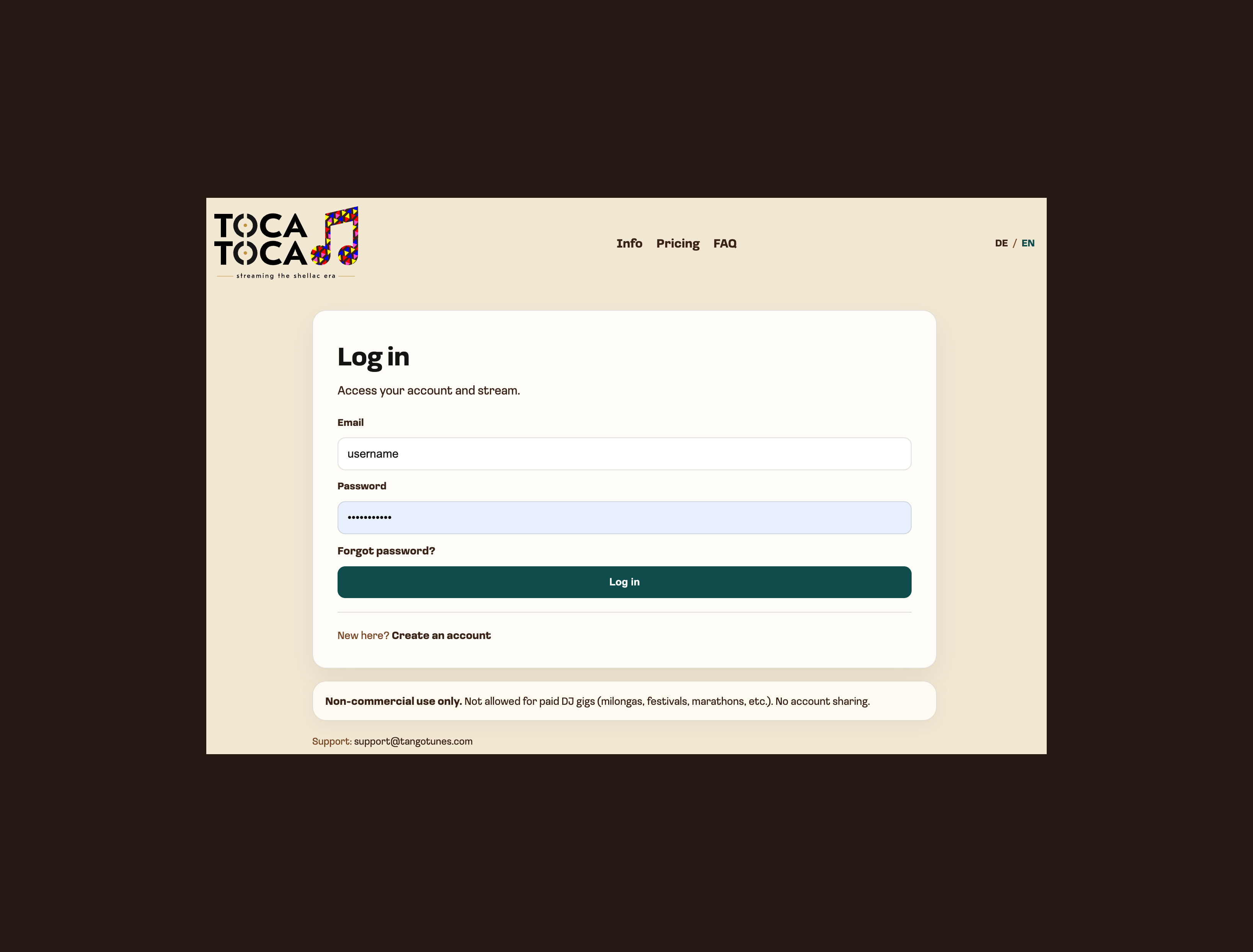
The login screen. From here you can sign in, create a new account, or access account-related help.
Opening a Collection
Section titled “Opening a Collection”After signing in, you will see the TocaToca music library. Collections can be opened from the homepage, the search function, or other areas of the catalog.
Historical recordings in TocaToca are grouped into themed collections. In some parts of the application, these may still be labeled as “Albums.”
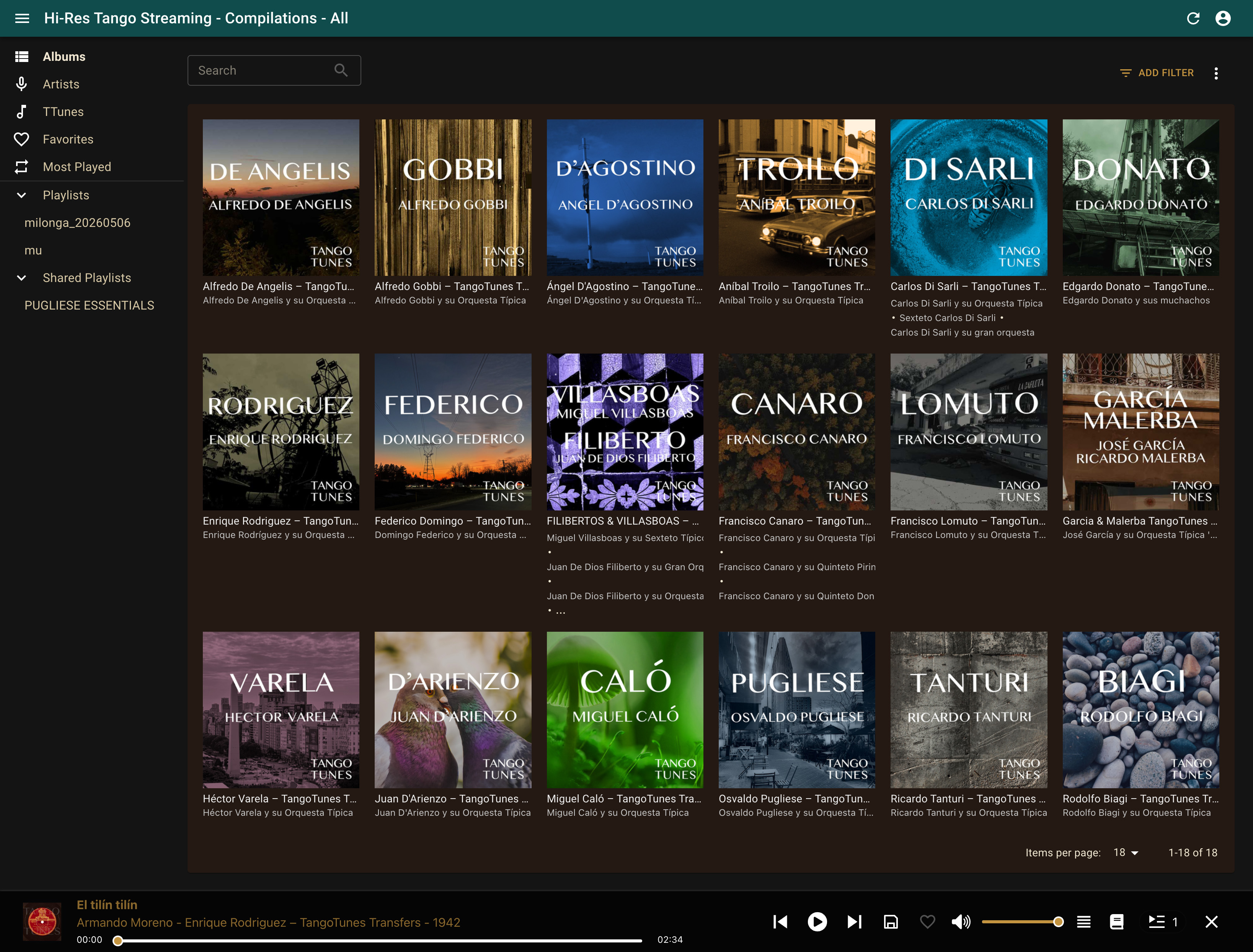
After signing in, you will see the available collections. The navigation provides access to collections, artists, recordings, favorites, and playlists.
Click on a collection to view the recordings it contains.
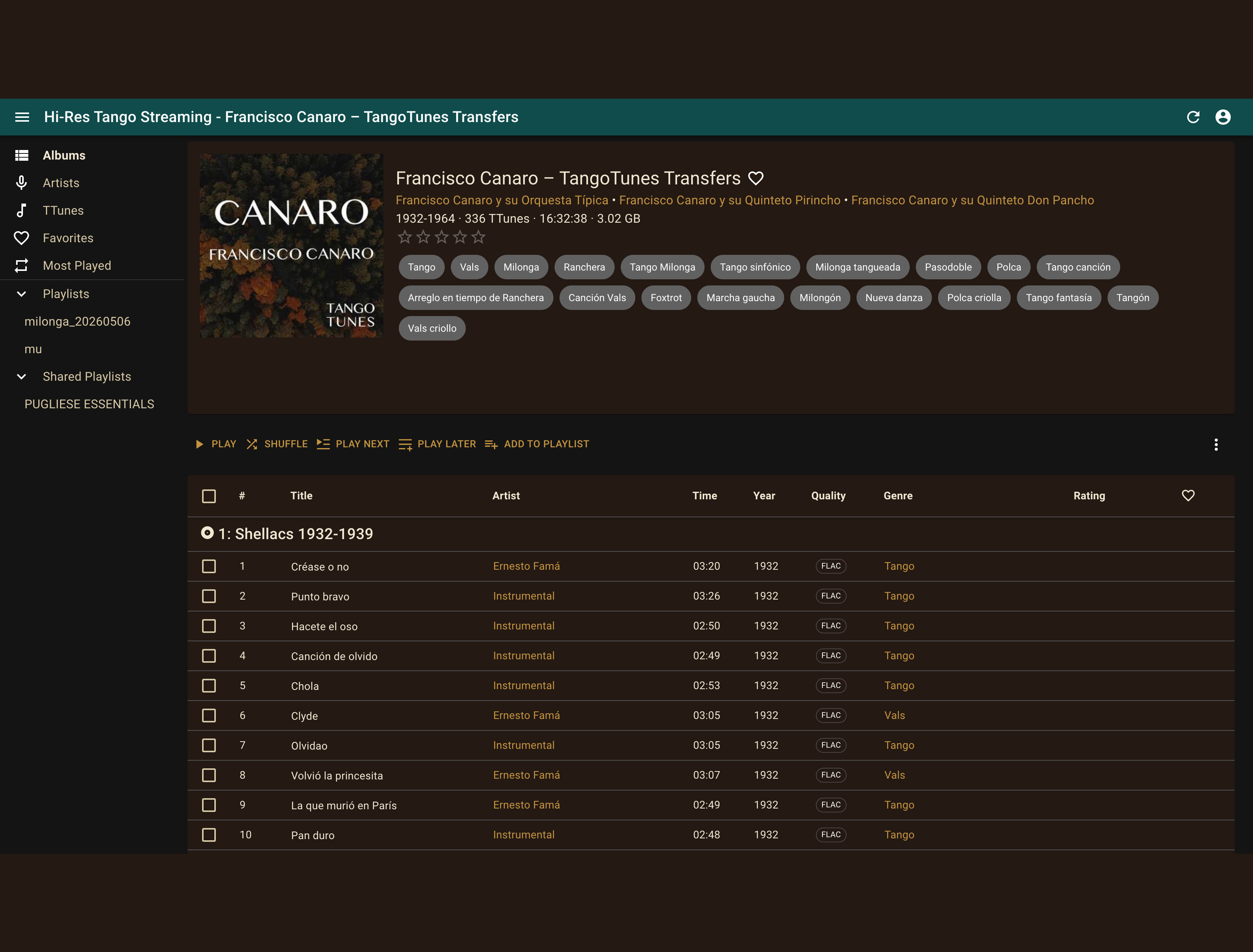
Each collection displays cover artwork, background information, and the available recordings. You can play the entire collection or select individual recordings.
Starting a Recording
Section titled “Starting a Recording”Inside a collection, you will see all available recordings.
Click a recording or press the Play button to begin playback.
The player appears at the bottom of the screen and shows the currently playing recording.
Using Artist Links
Section titled “Using Artist Links”Many recordings contain linked names of singers, orchestras, musicians, composers, and other contributors.
Clicking one of these names opens a list of related recordings.
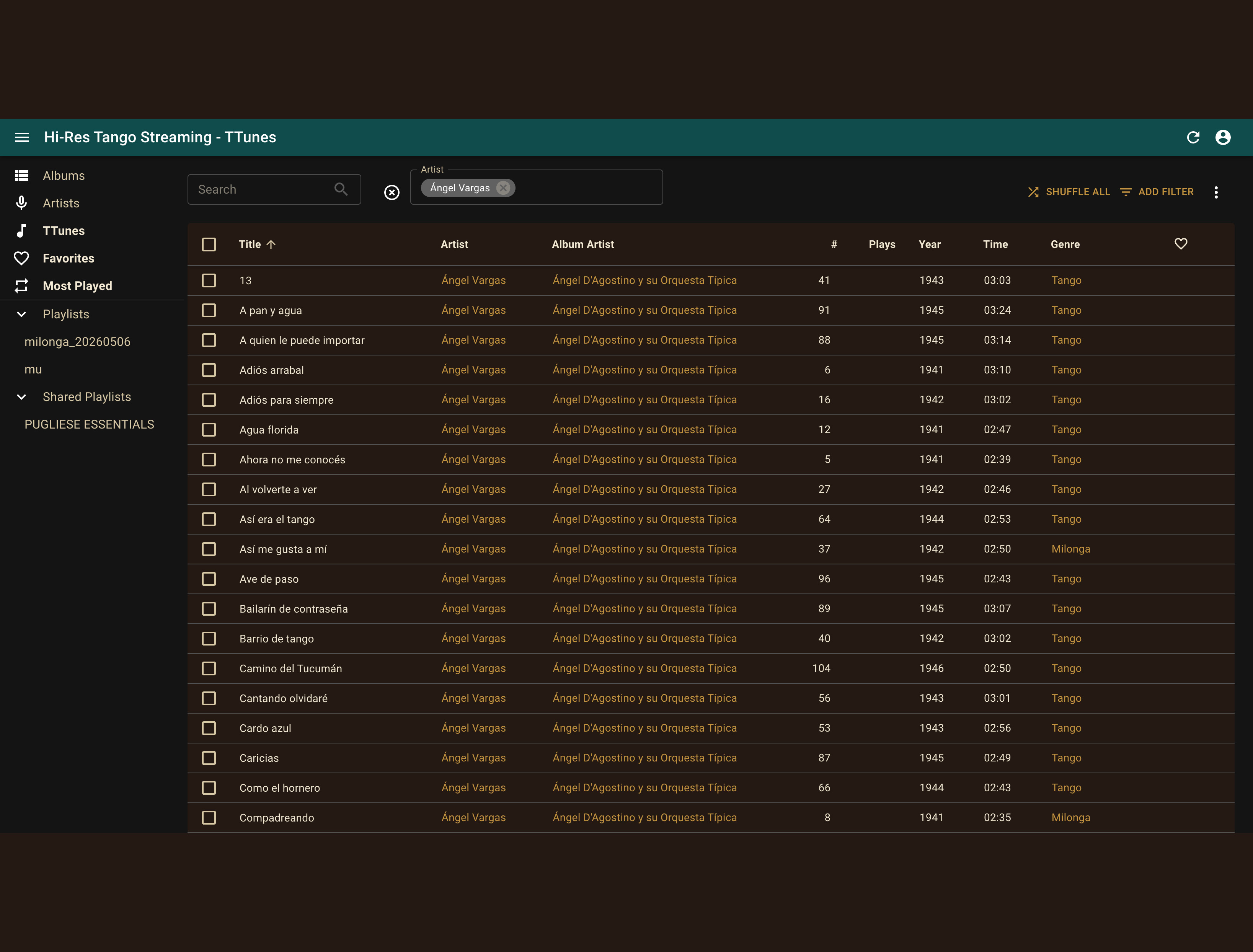
The selected artist becomes an active filter. All available recordings associated with that artist are displayed.
Using the Player
Section titled “Using the Player”The player controls playback.
- Play starts playback.
- Pause stops playback temporarily.
- Previous and Next move between recordings.
- Volume can be adjusted in the player or on your device.
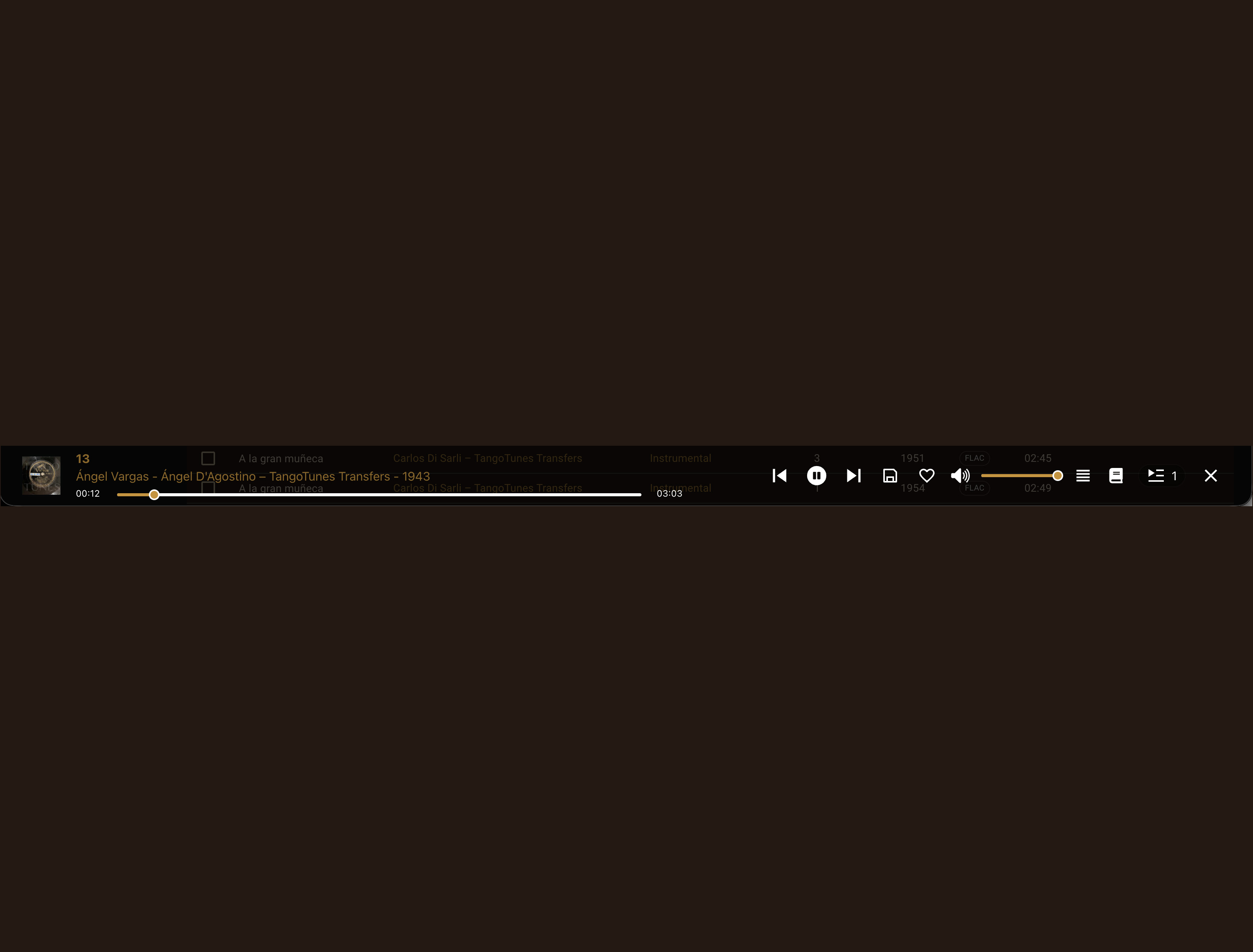
The player displays the current recording, playback progress, and all major playback controls.
While listening, you can continue browsing collections, searching the catalog, and discovering new recordings.
If Nothing Plays
Section titled “If Nothing Plays”Check the following:
- Is the volume turned up?
- Is the browser tab muted?
- Are you still logged in?
- Is your subscription active?
- Is your internet connection working?
Reload the page and try starting playback again.
If you still cannot hear anything, see No Sound or Playback Does Not Start.
Next Steps
Section titled “Next Steps”Once your first recording is playing, continue exploring the catalog: