
Using Search
Search is often the fastest way to navigate the TocaToca catalog, especially when you already know what you are looking for.
Enter a Search Term
Section titled “Enter a Search Term”Type a search term into the search field.
For example, you can search for:
- artists
- orchestras
- singers
- recording titles
- composers
- lyricists
- genres
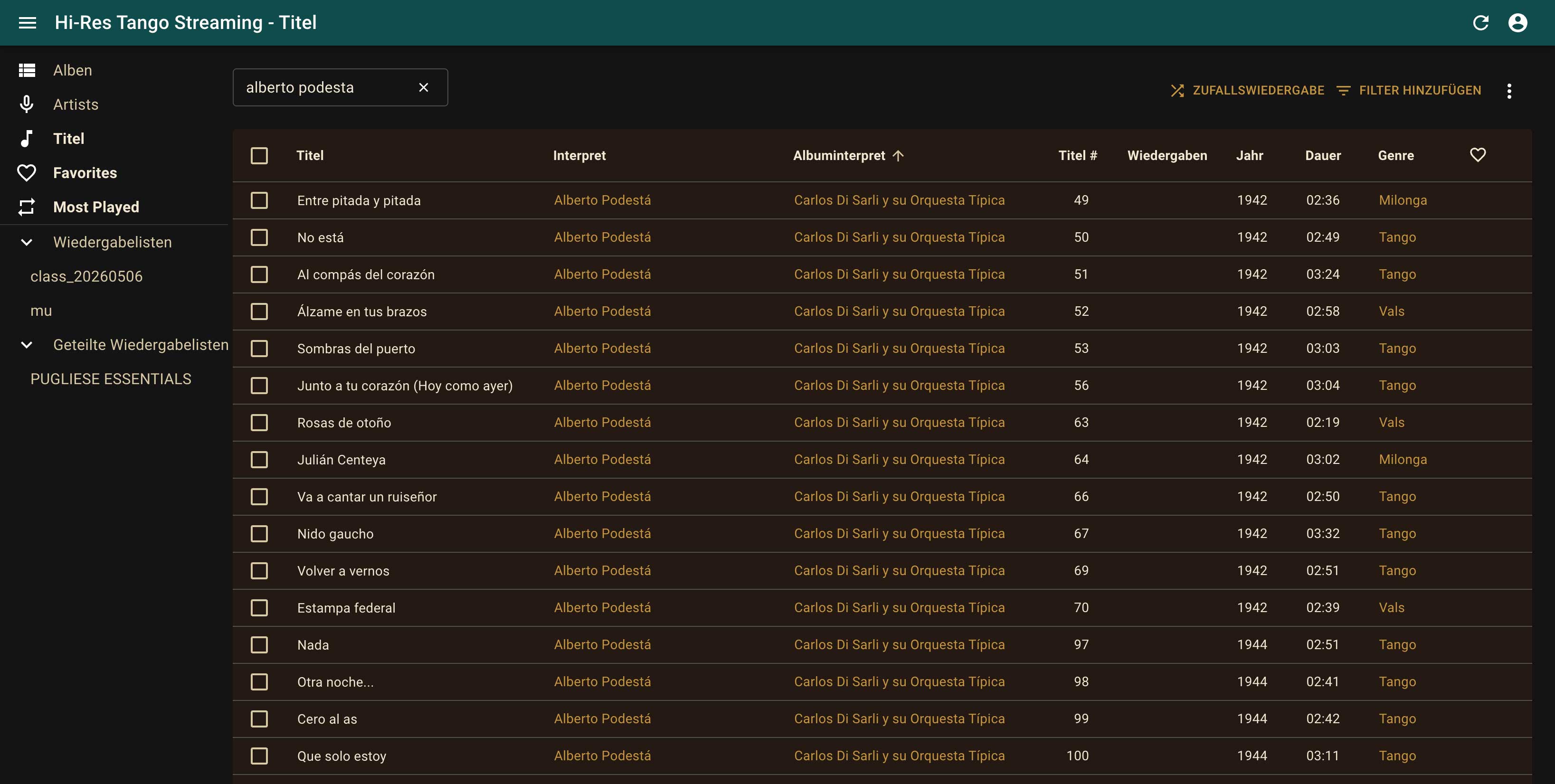
Using Search Results
Section titled “Using Search Results”Search results may contain different types of entries, including:
- recordings
- artists
- collections
- other catalog entries
Open the desired result to view additional information or start listening.
Many lists can also be sorted by clicking on the column headers, for example by:
- artist
- year
- genre
- collection
Refining Your Search
Section titled “Refining Your Search”If too many results are displayed, try using a more specific search term.
If few or no results appear, try:
- using only part of a name
- searching by surname
- trying an alternative spelling
Advanced Search with Filters
Section titled “Advanced Search with Filters”The standard search field allows one search term at a time.
For more advanced searches, additional filters are available.
In the Recordings section, click “Add Filter” to access the available filtering options.
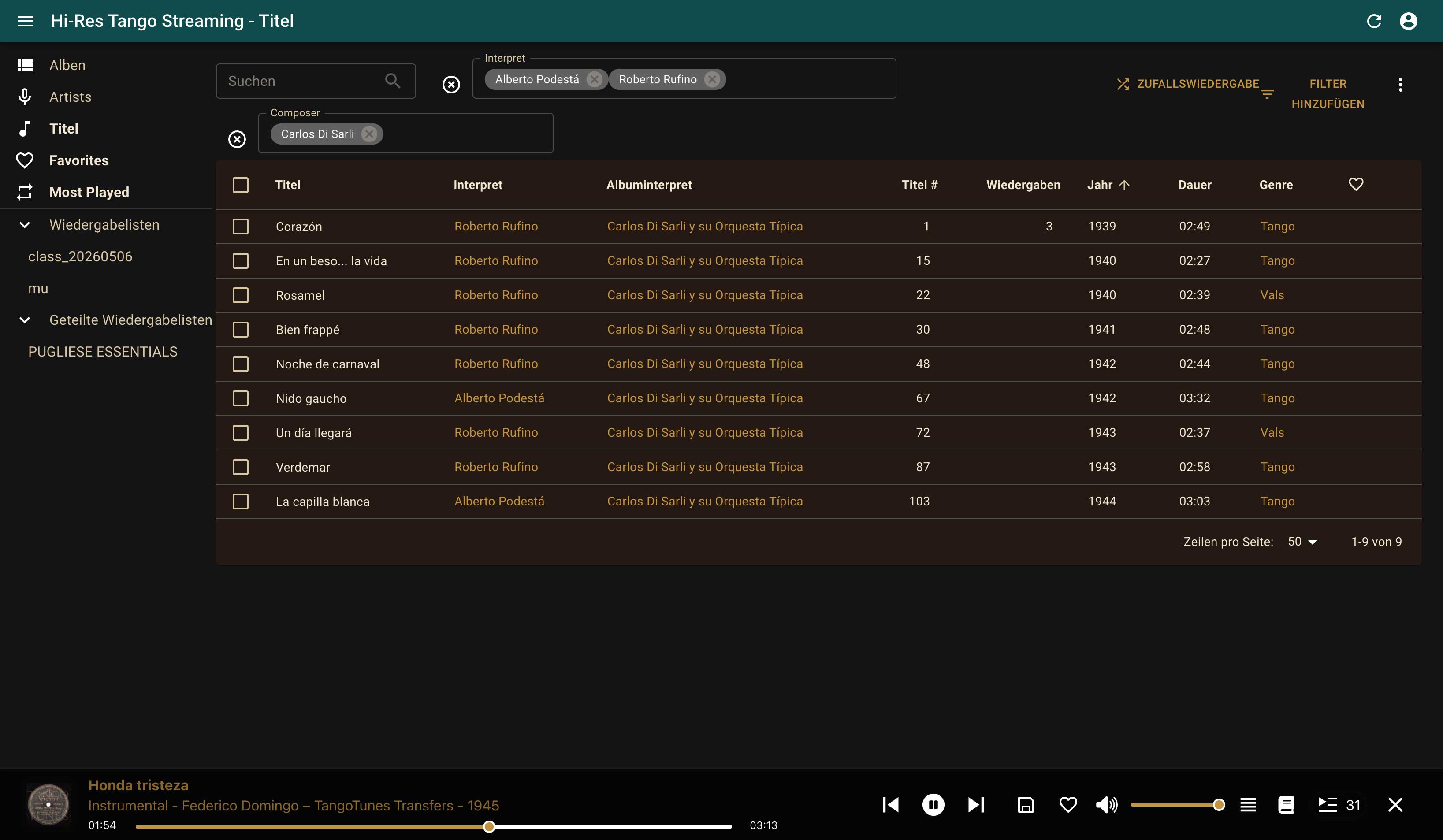
Filters allow you to combine multiple criteria.
For example, you can search for recordings:
- featuring specific singers
- performed by a particular orchestra
- composed by a particular composer
- from a specific time period
- belonging to a particular genre
This makes it possible to create highly targeted searches across the catalog.
Discover New Music
Section titled “Discover New Music”Search is not only useful for finding recordings you already know.
Often, a single artist name, orchestra, or search term will lead you to recordings, performers, and musical connections you may never have encountered before.